


APEKS FAQ | What Causes Errors in RTK Surveying?
What Causes Errors in RTK Surveying?
RTK (Real-Time Kinematic) technology is widely used for high-precision GNSS positioning — often reaching centimeter-level accuracy. But sometimes, even when using professional equipment, you may notice inconsistencies in your measurements. For example, you might measure the same point multiple times and get results that differ by 4–5 cm.
So, what causes these errors? And more importantly, how can we prevent them?
Let's explore the most common causes of RTK surveying errors — and what you can do about them.
1. Signal Obstruction: Trees, Buildings, and Reflective Surfaces
One of the most common reasons for errors in RTK surveying is signal obstruction. GNSS signals can be blocked or reflected by:
-
Dense tree canopies
-
Tall buildings (especially in urban canyons)
-
Metal roofs, fences, vehicles, etc.
-
Construction equipment or machinery nearby
These obstructions lead to multipath effects (when the signal bounces before reaching the receiver) or signal loss, both of which reduce positioning accuracy.
✅ How to reduce this error:
-
Choose open areas with clear sky visibility.
-
Avoid setting up near trees or tall structures.
-
If the environment is complex, set more check points and cross-validate frequently.
2. Ionospheric Interference
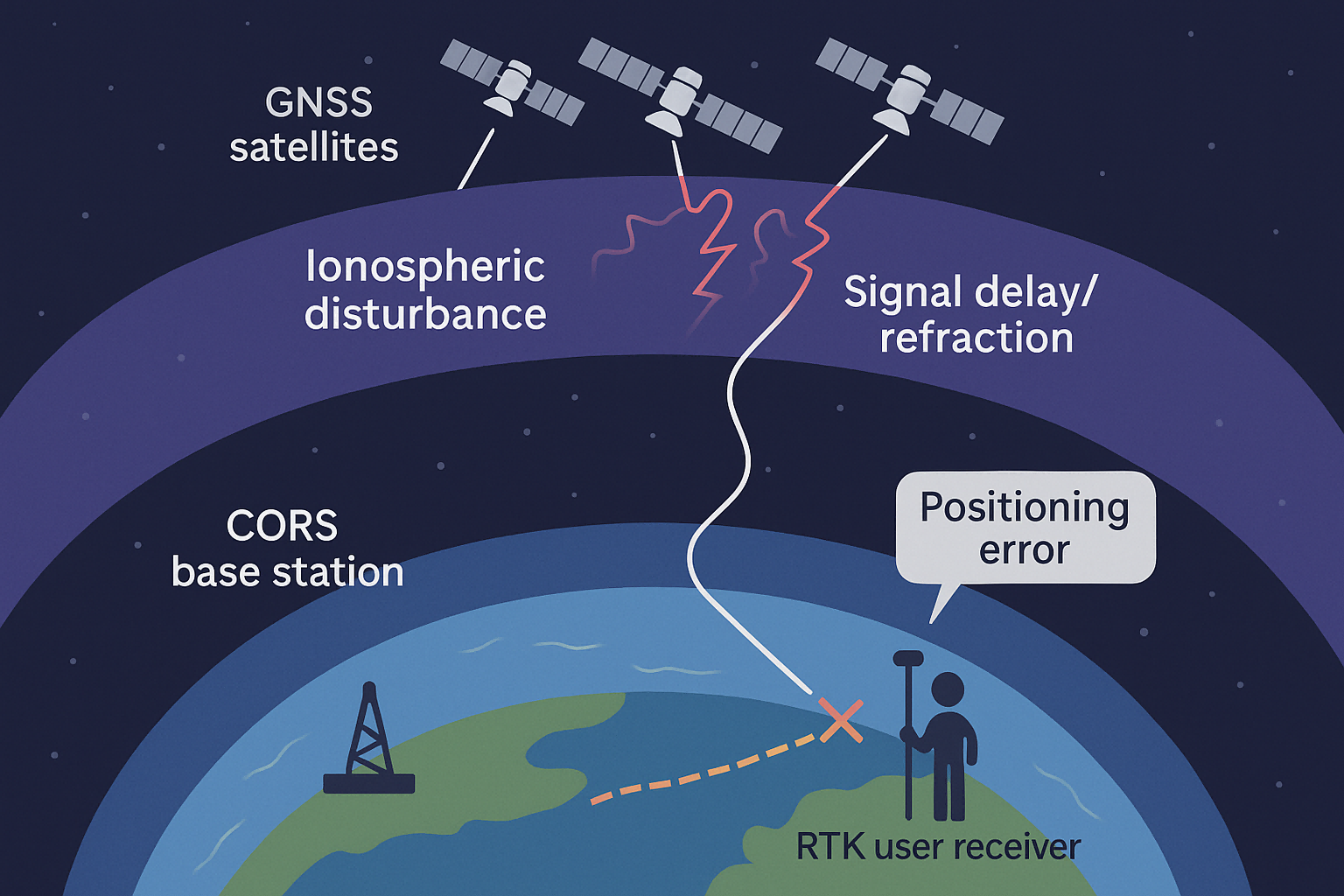
The ionosphere is a layer of Earth's atmosphere filled with charged particles. It sits about 60–1000 km above the surface and can distort GNSS signals, especially during periods of high solar activity.
In simple terms, when the ionosphere becomes “active,” GNSS signals may slow down or bend slightly, introducing positioning errors — especially in RTK systems that rely on precise timing and phase information.
✅ How to detect and correct it:
-
Use GNSS status tools or apps to check ionospheric activity before fieldwork.
-
Switch to single-base (point-to-point) mode using radio transmission when possible — this provides a direct link between the rover and a known base station, reducing reliance on network corrections.
-
In extreme cases, postpone fieldwork until the ionosphere calms down.
3. Poor Network Geometry and Parameter Calculation Issues
Even with strong signals and no interference, your survey could still produce errors if the control network is poorly designed. Here are some common mistakes:
-
Control points are aligned in a straight line, reducing spatial strength
-
Using short baselines to control long distances
-
Residuals (differences between observed and calculated coordinates) are too large
-
Survey points are not well-distributed across the working area
These errors arise from weak geometry, causing your adjustment calculations to become unstable or biased.
✅ How to fix it:
-
Ensure control points form a triangular or well-distributed network
-
Recalculate transformation parameters if you suspect alignment or scale issues
-
Check for residuals that exceed acceptable tolerances and adjust the network
4. Environmental Factors and Hardware Issues
Less frequently, other factors can also affect RTK accuracy, such as:
-
Temperature or humidity changes affecting equipment performance
-
Outdated firmware or incorrect antenna calibration
-
Loose connectors or improperly mounted antennas
-
Radio interference from nearby communication towers or devices
✅ What to do:
-
Regularly inspect and calibrate your equipment
-
Keep firmware up-to-date
-
Use proper mounting and shielding techniques
-
Perform test measurements before starting major work
Conclusion: Be Proactive to Stay Precise
RTK is a powerful tool, but it's not immune to errors. Whether you're working in forestry, construction, agriculture, or mapping, understanding the root causes of RTK inaccuracy helps you take control.
Here's a quick summary of what to watch for:
| Cause | Solution |
|---|---|
| Signal blockage/multipath | Choose open areas, avoid reflective surfaces |
| Ionospheric activity | Use radio mode, check ionosphere status |
| Weak control network | Recalculate parameters, improve network geometry |
| Hardware issues | Regular maintenance and calibration |
By staying alert and making a few adjustments, you can significantly improve the reliability of your RTK surveying results — and avoid those frustrating 4–5 cm errors.